Configure an input form (PowerShell v2 target systems)
For the relevant PowerShell v2 target system, Edit a target system.
Go to the Account tab.
Click
 Edit for Custom Connector Configuration.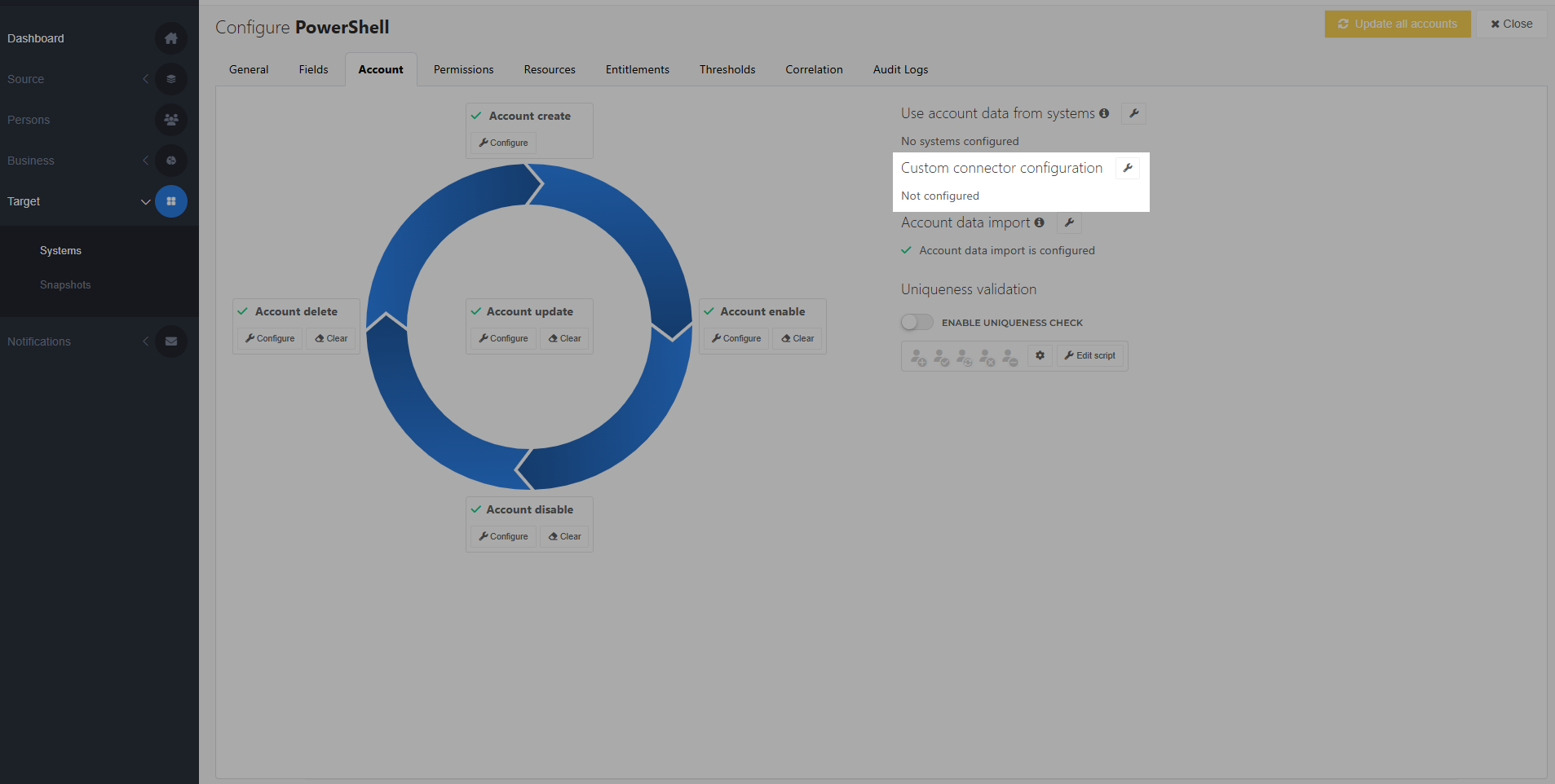
Edit the form's JSON to customize it. The resulting form is previewed in real time in the Preview area. Each value is identified by its
key.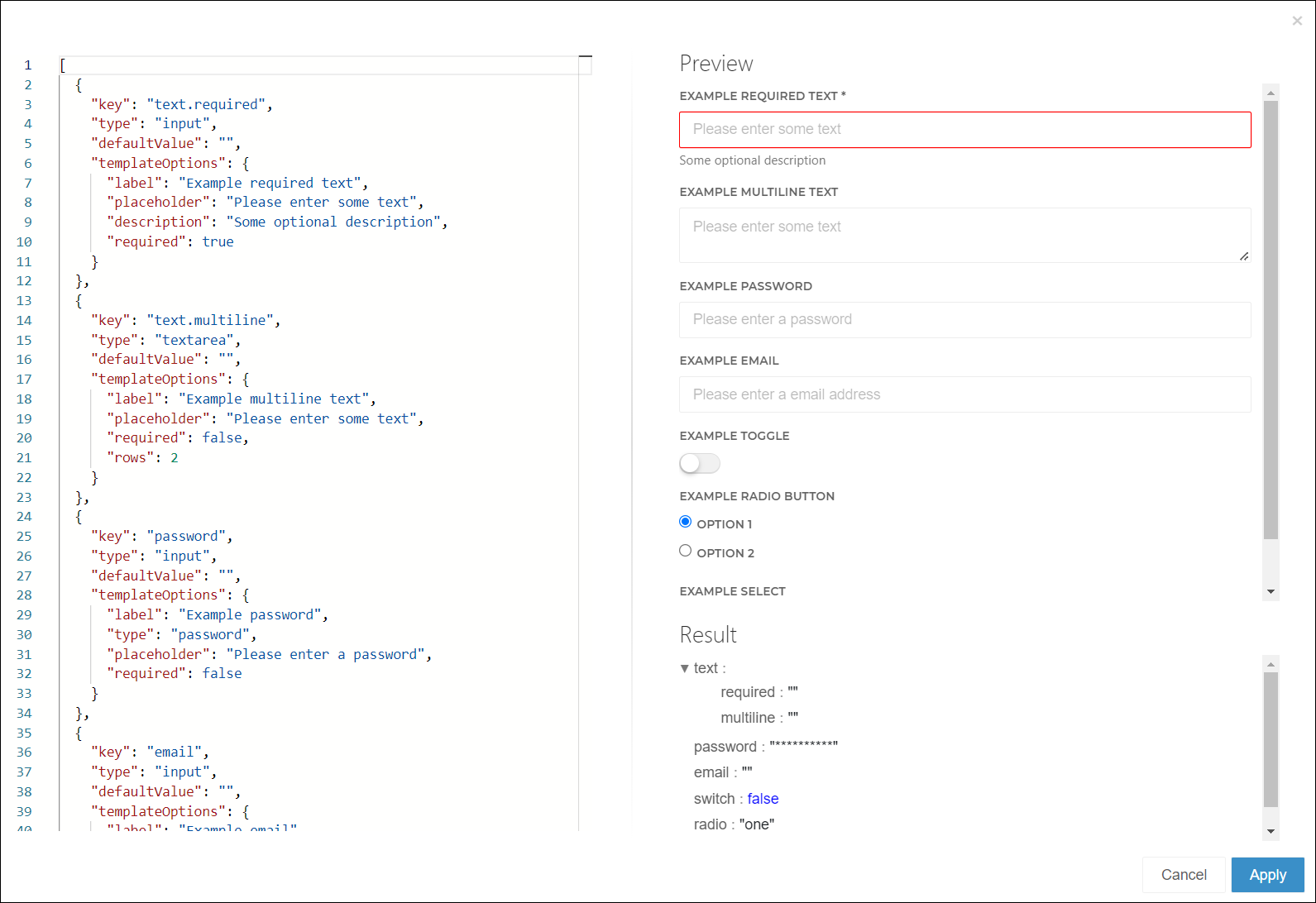
To save your changes, click Apply.
A Configuration tab is added to the system. Go to it.
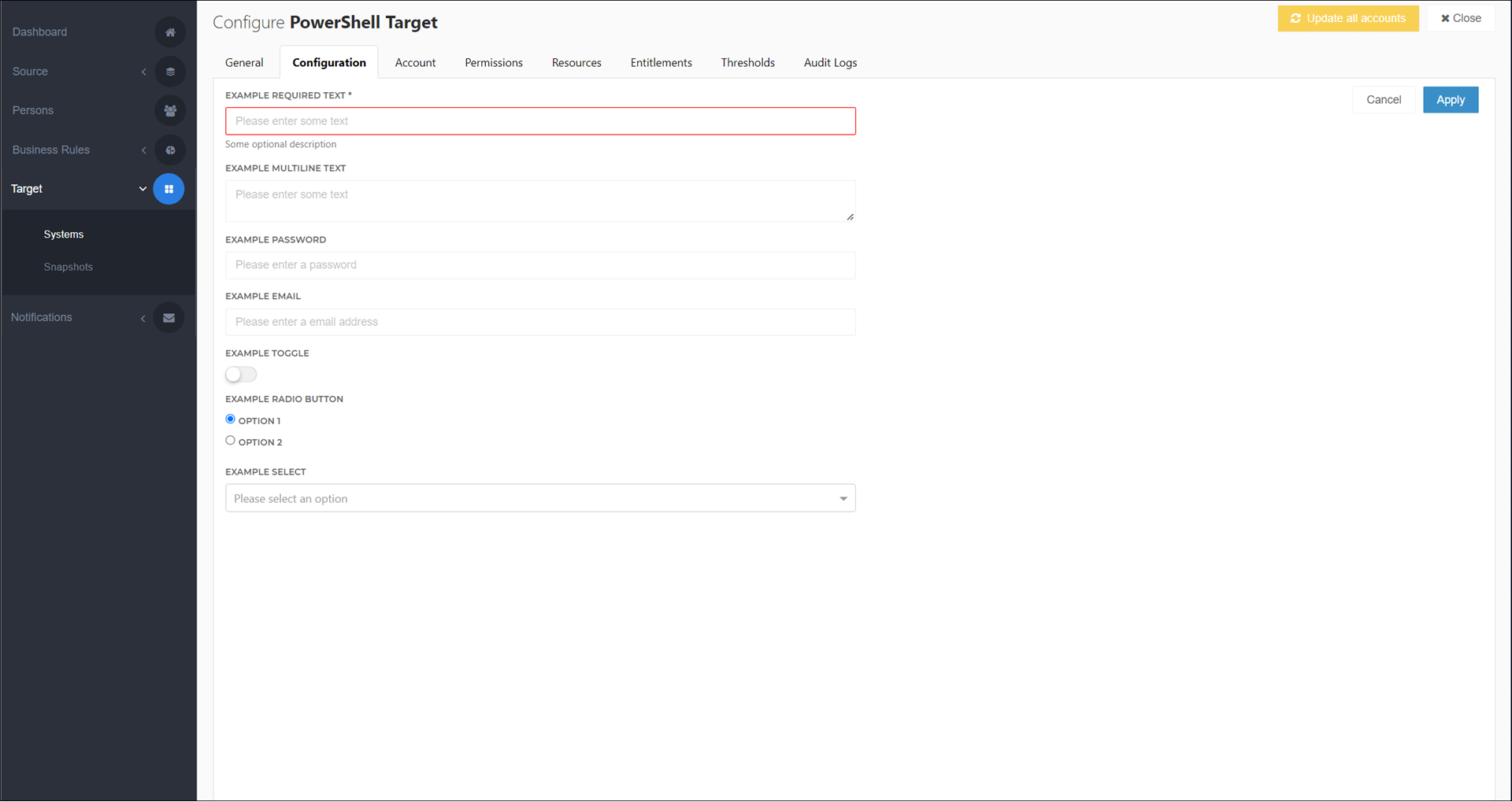
Enter values for the fields you've defined.
To save your changes, click Apply.
Access the values using $actionContext.Configuration in the system's PowerShell scripts.