Publish a business rule
Business rules can be published one by one or in bulk.
Publish a single business rule
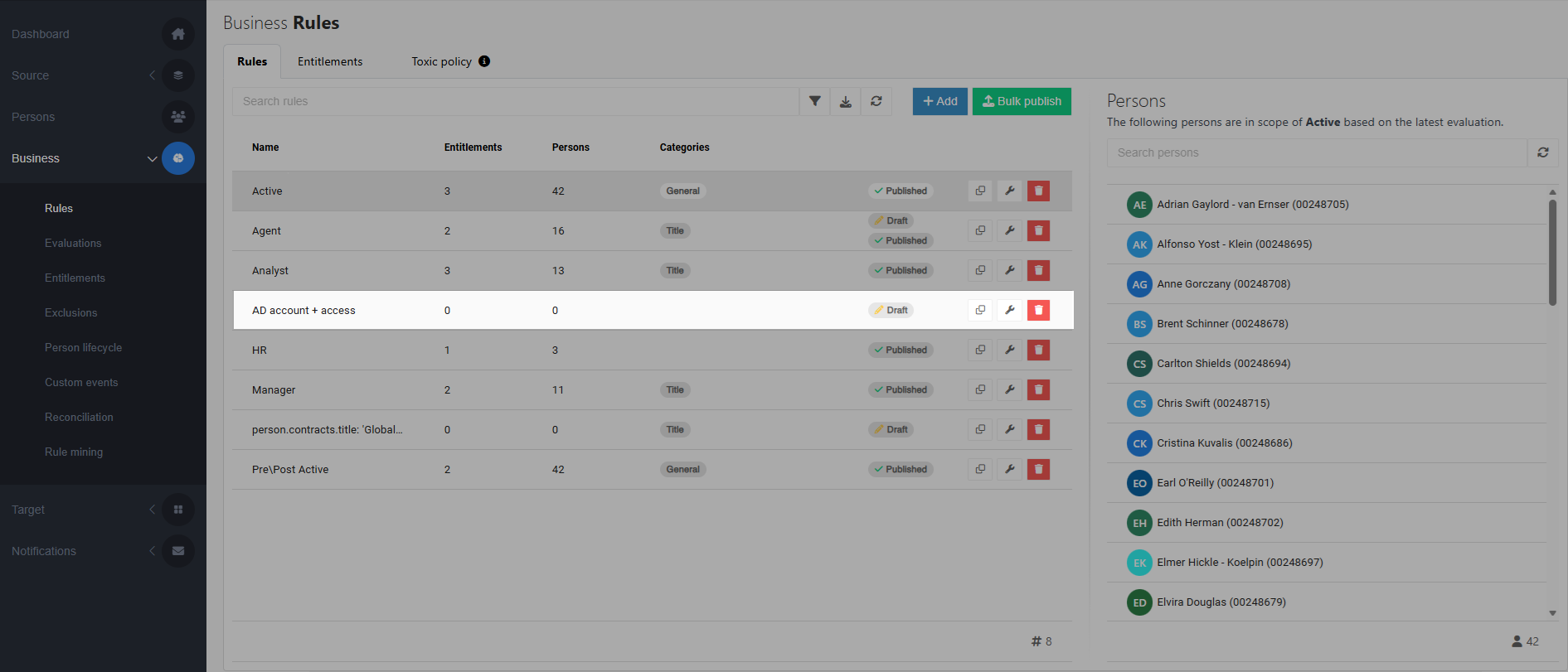
For a business rule that is in a Draft state, Edit a business rule.
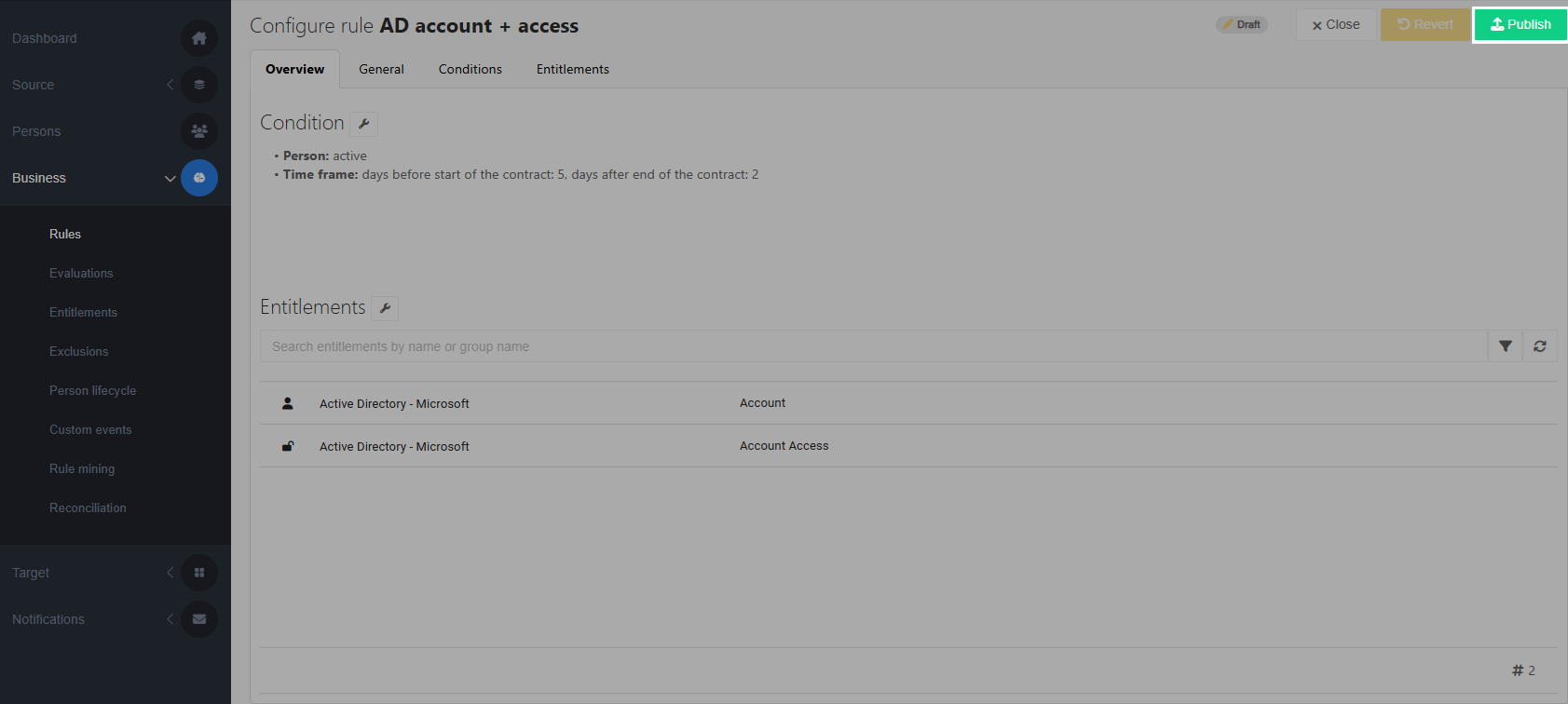
Click Publish.
A summary dialog box is shown.
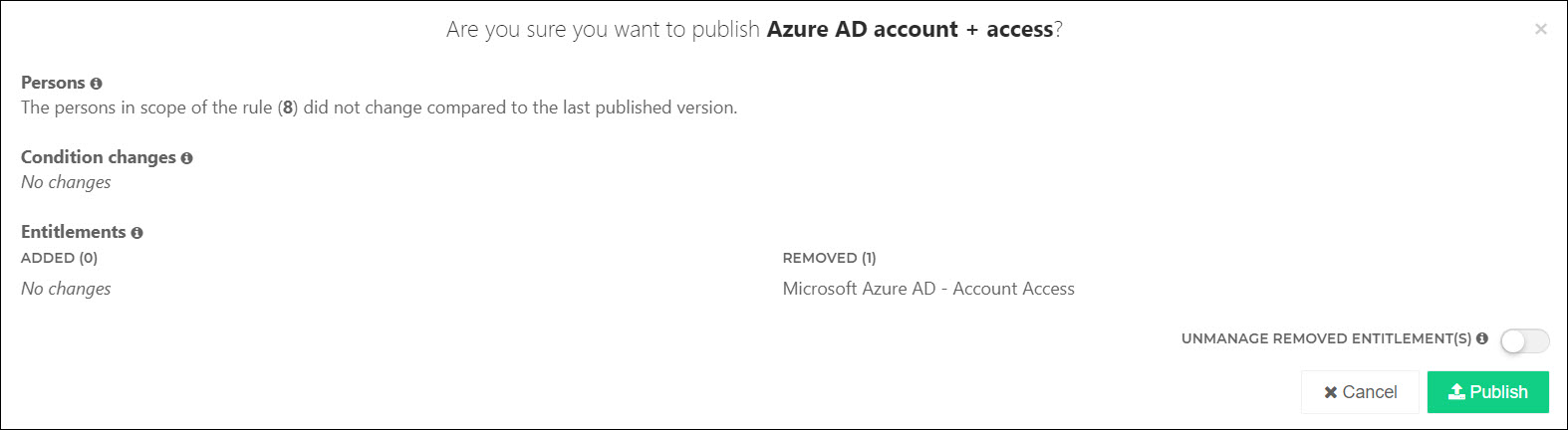
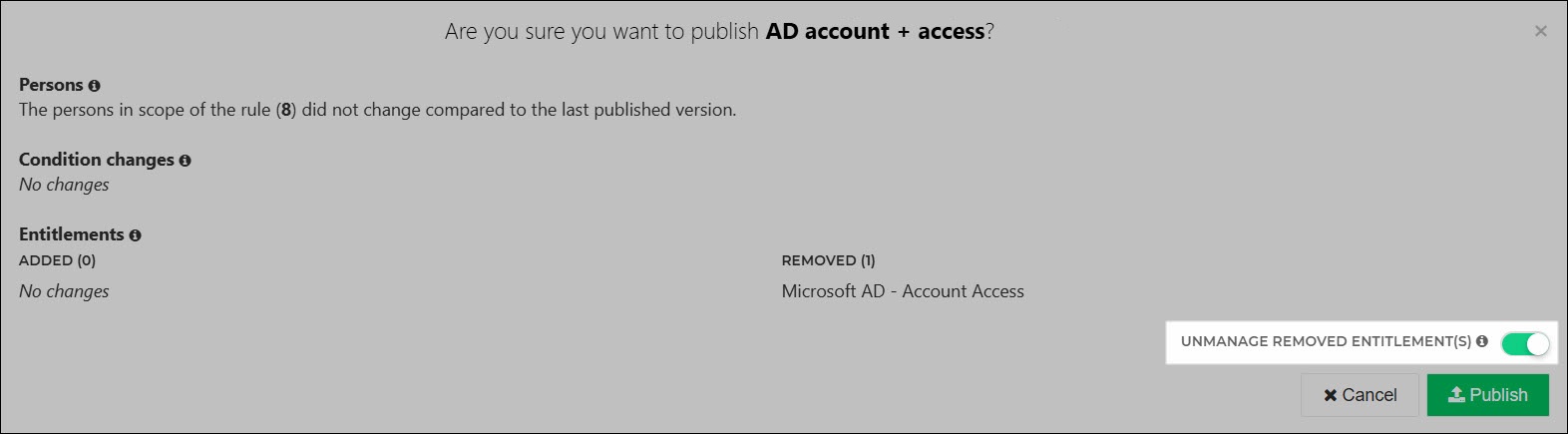
Optional: If you've removed entitlements from this rule, the Unmanage Removed Entitlements toggle is shown. This toggle lets you Unmanage the removed entitlements instead of revoking (Revoke) them.
Note
If you unmanage an Account entitlement using the Unmanage Removed Entitlements toggle, any Account Access and Permission entitlements granted to that account will also be unmanaged.
If you want to revoke some entitlements but unmanage others, you must do separate publishes.
Click Publish to confirm.
The business rule is put into production, i.e., into the Published state. Changes will be written into target systems during the next Enforcement.
Publish business rules in bulk
On the
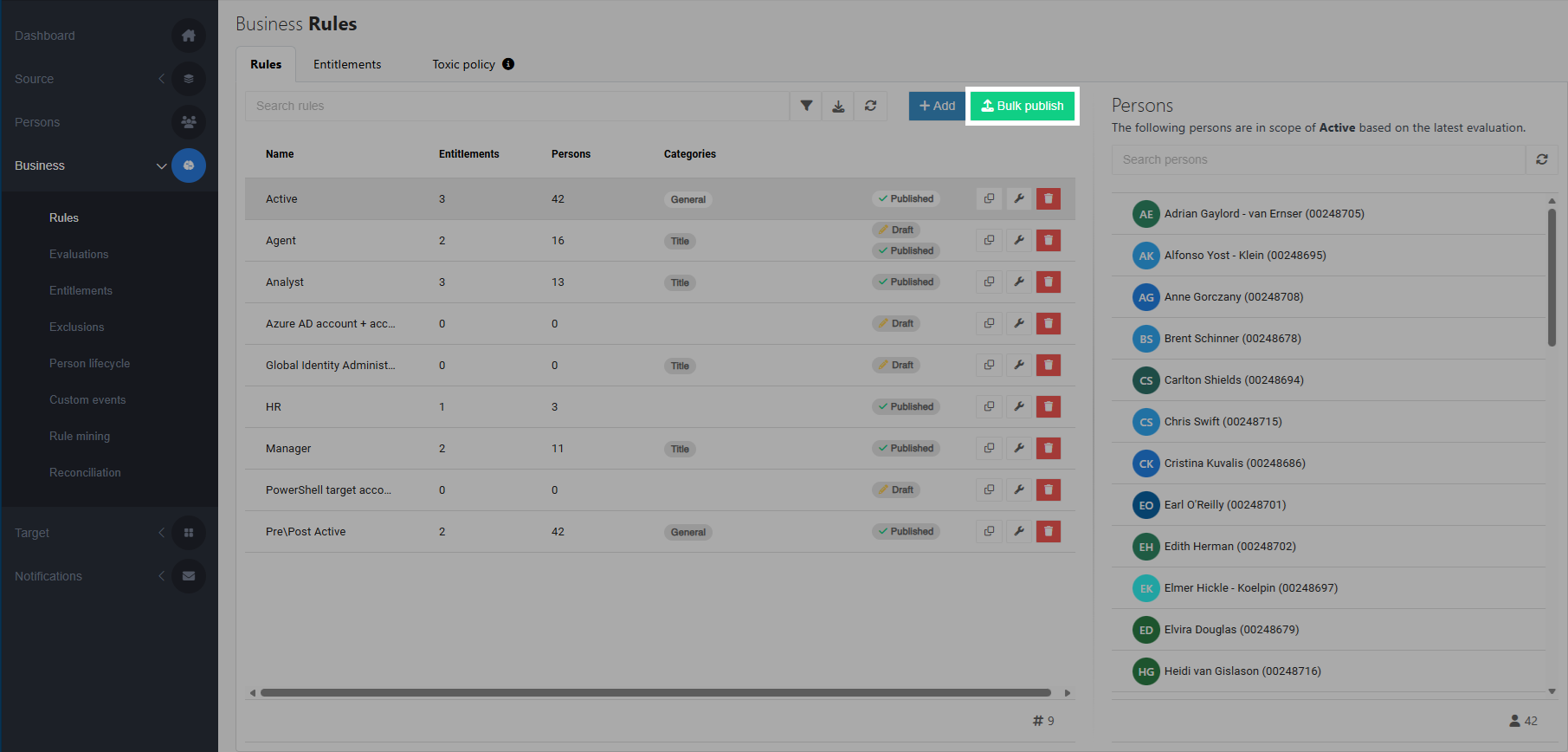
 Provisioning dashboard, go to Business > Rules.
Click the Bulk publish button.
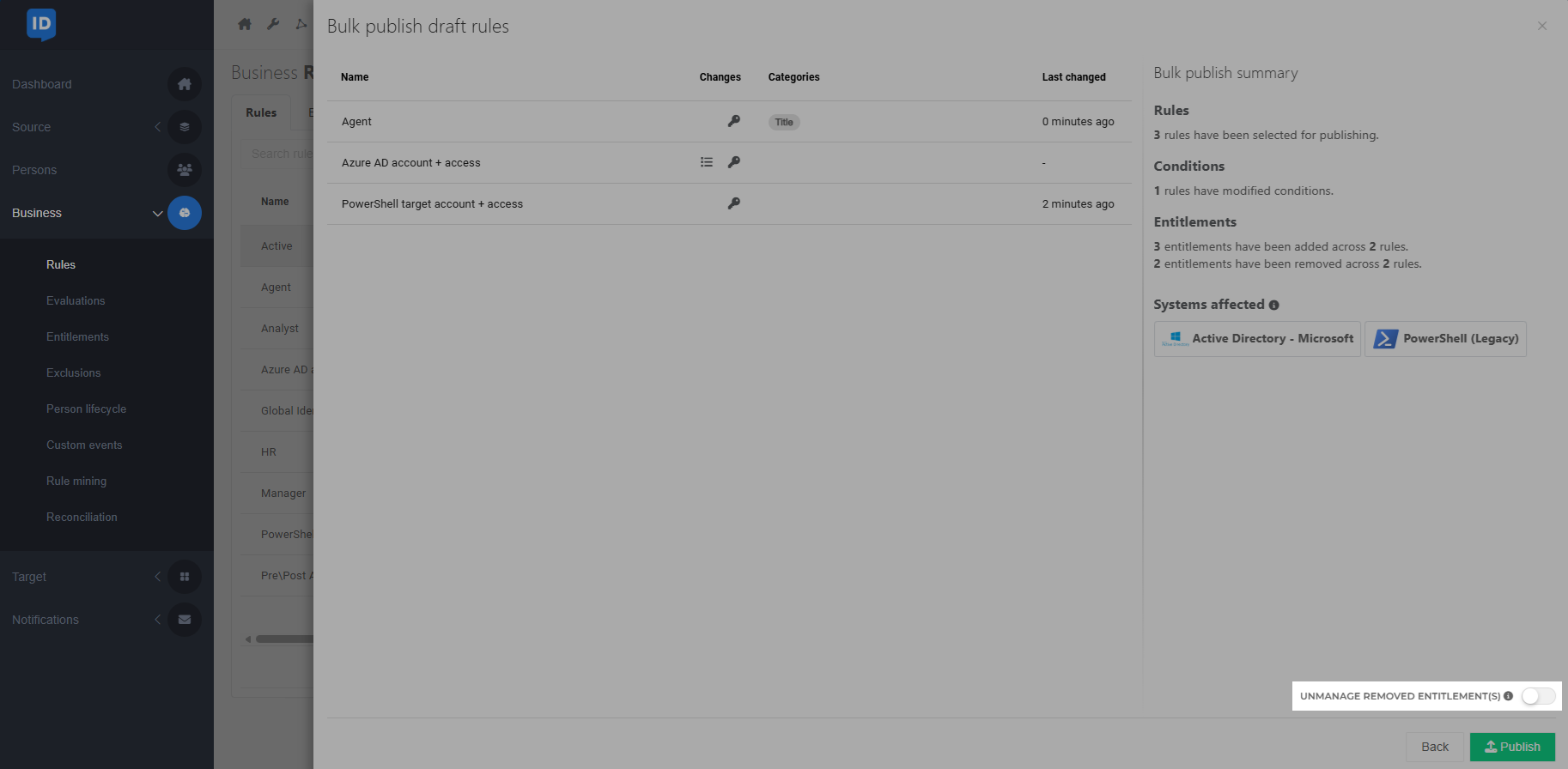
In the overview that appears, all draft business rules are listed.
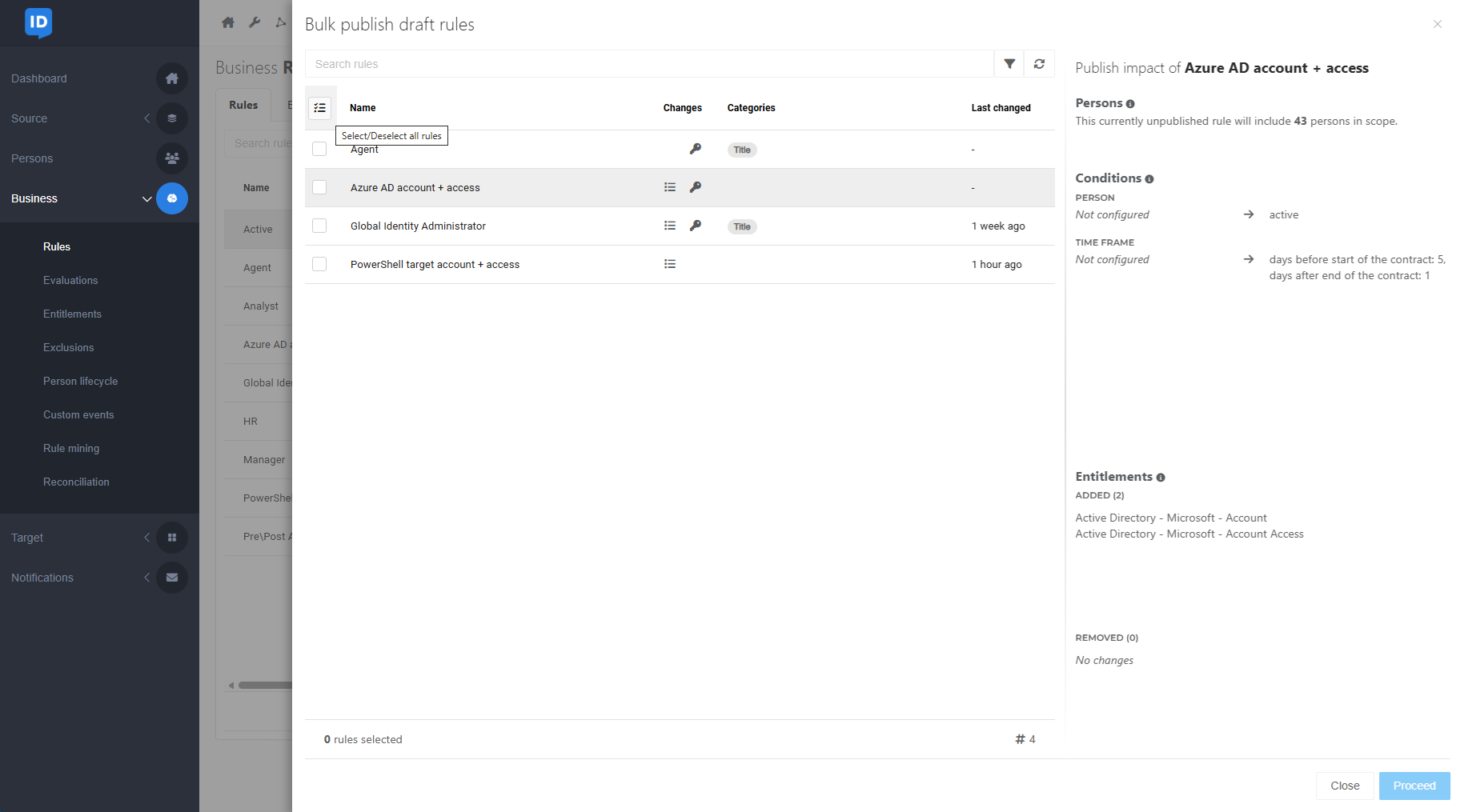
The Changes column contains icons indicating whether the conditions of a rule and/or the entitlements it grants have been changed compared to the published version.
Click a business rule to view a summary of the changes that occur when the rule is published. The summary is displayed at the right.
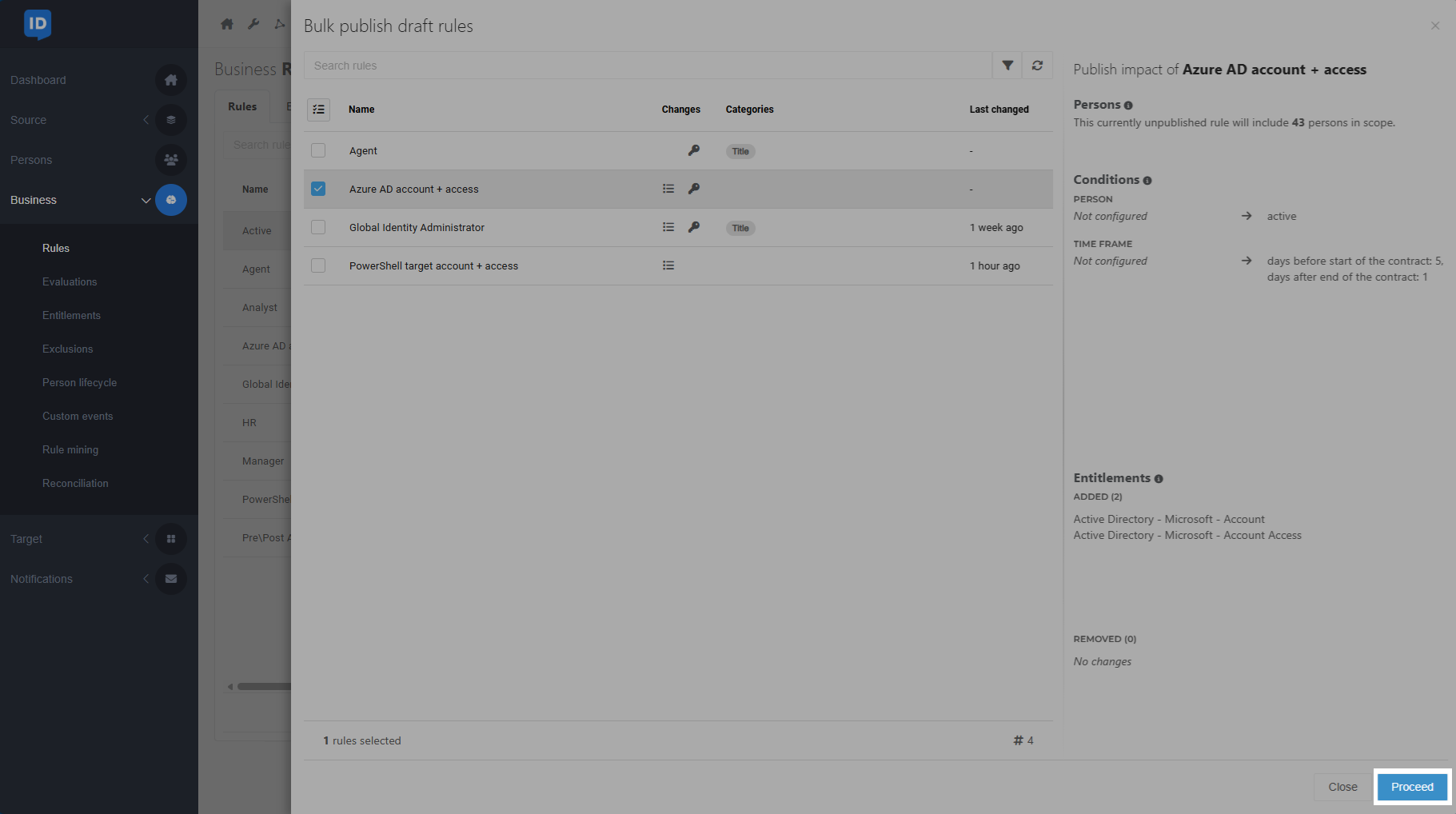
Select the business rules that are ready to be published.
You can use the button at the top left of the list to select or deselect all rules.
Click the Proceed button.
A summary is shown.
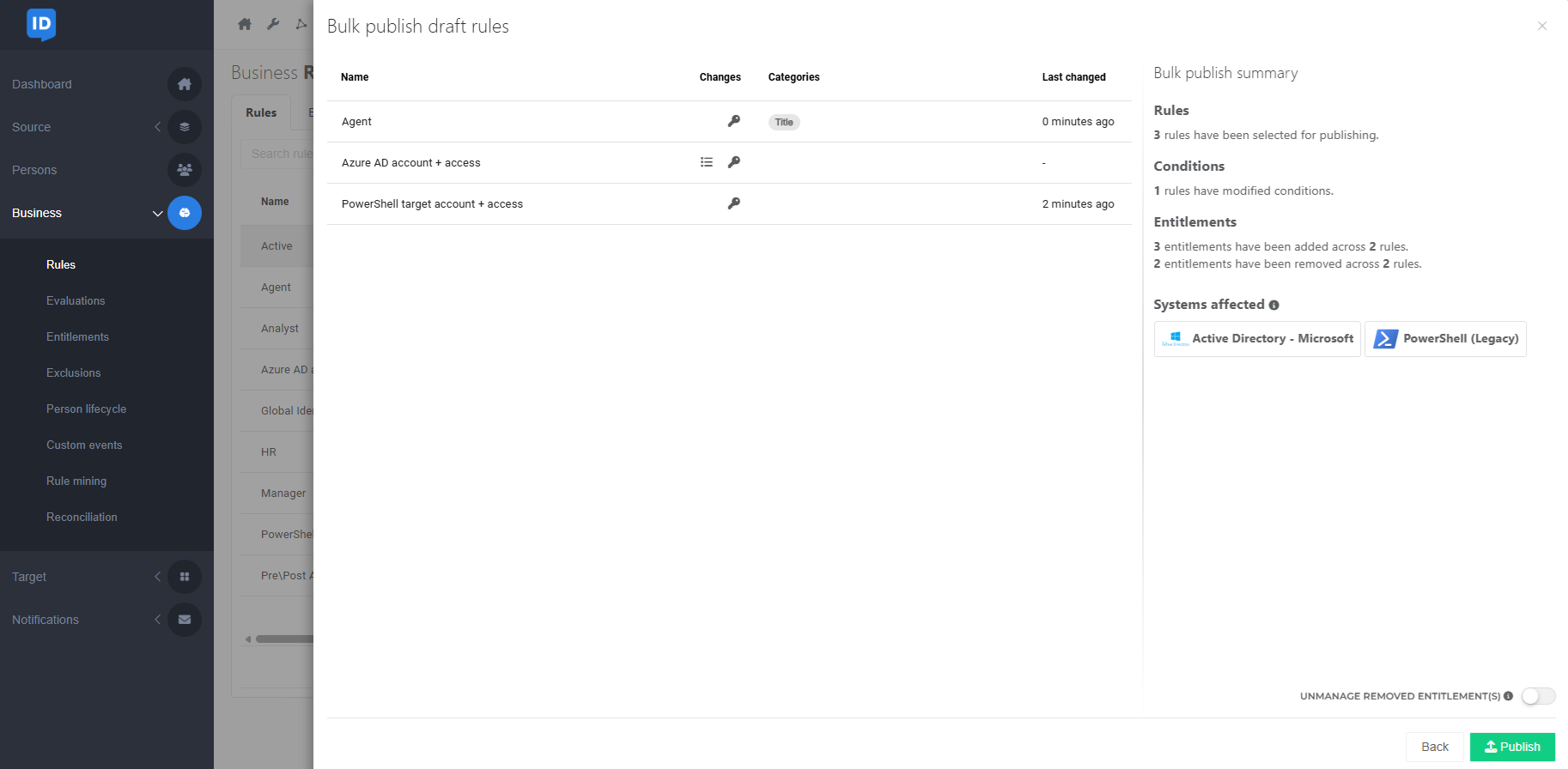
Optional: If you've removed entitlements from any of the selected rules, the Unmanage Removed Entitlements toggle is shown. This toggle lets you Unmanage the removed entitlements instead of revoking (Revoke) them.
Note
If you unmanage an Account entitlement using the Unmanage Removed Entitlements toggle, any Account Access and Permission entitlements granted to that account will also be unmanaged.
If you want to revoke some entitlements but unmanage others, you must do separate publishes.
Click Publish to confirm.
The business rules are put into production, i.e., into the Published state. Changes will be written into target systems during the next Enforcement.