Recertification insights
The recertification insights overview shows a list of recertification campaign iterations.
Whether this page is visible to you and which campaigns are listed, depends on your permissions.
View recertification insights
On the User Dashboard, go to Recertification > Insights to open the Recertification insights overview.
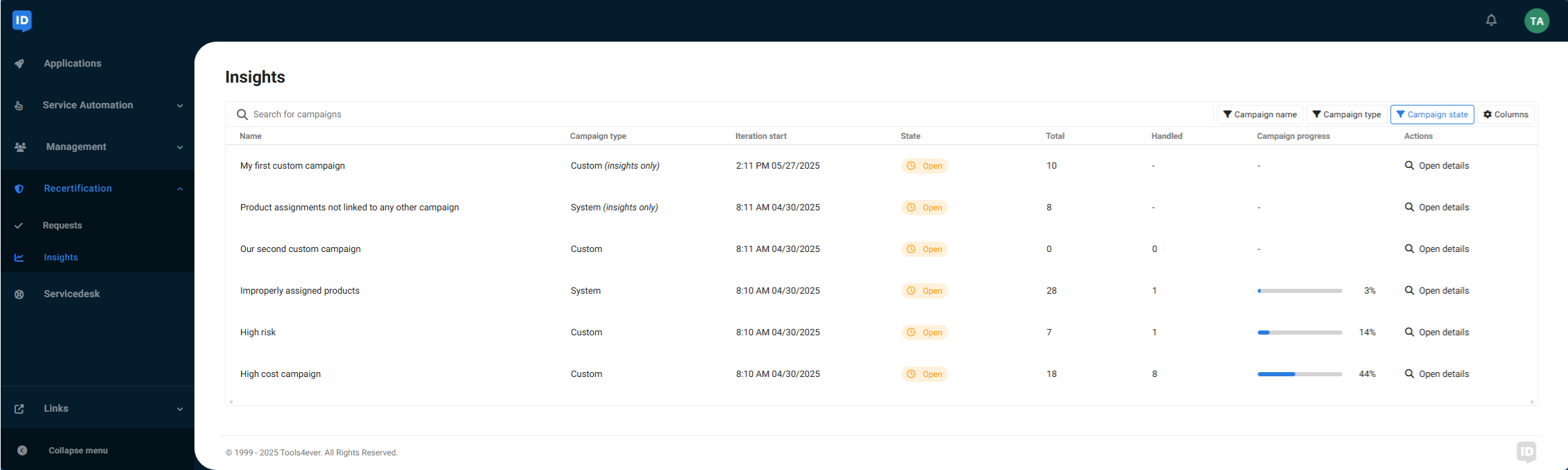
Per campaign, the overview shows:
The campaign name
The Campaign type, followed by "Insights only" if the campaign is configured to produce no recertification requests
When the last iteration was started
Successive runs of a recertification campaign are called iterations. Each iteration recalculates which approved product requests fall in the scope of the campaign, and optionally triggers recertification requests.
The Campaign state
The total number of product requests (i.e. assigned products) found in this campaign iteration based on the scope of the campaign
The number of handled recertification requests that have been approved or denied (if the campaign is configured to produce recertification requests)
The campaign progress measured by the number of handled recertification requests as a percentage of the total number of requests (if the campaign is configured to produce recertification requests)
A button to open details of the respective campaign
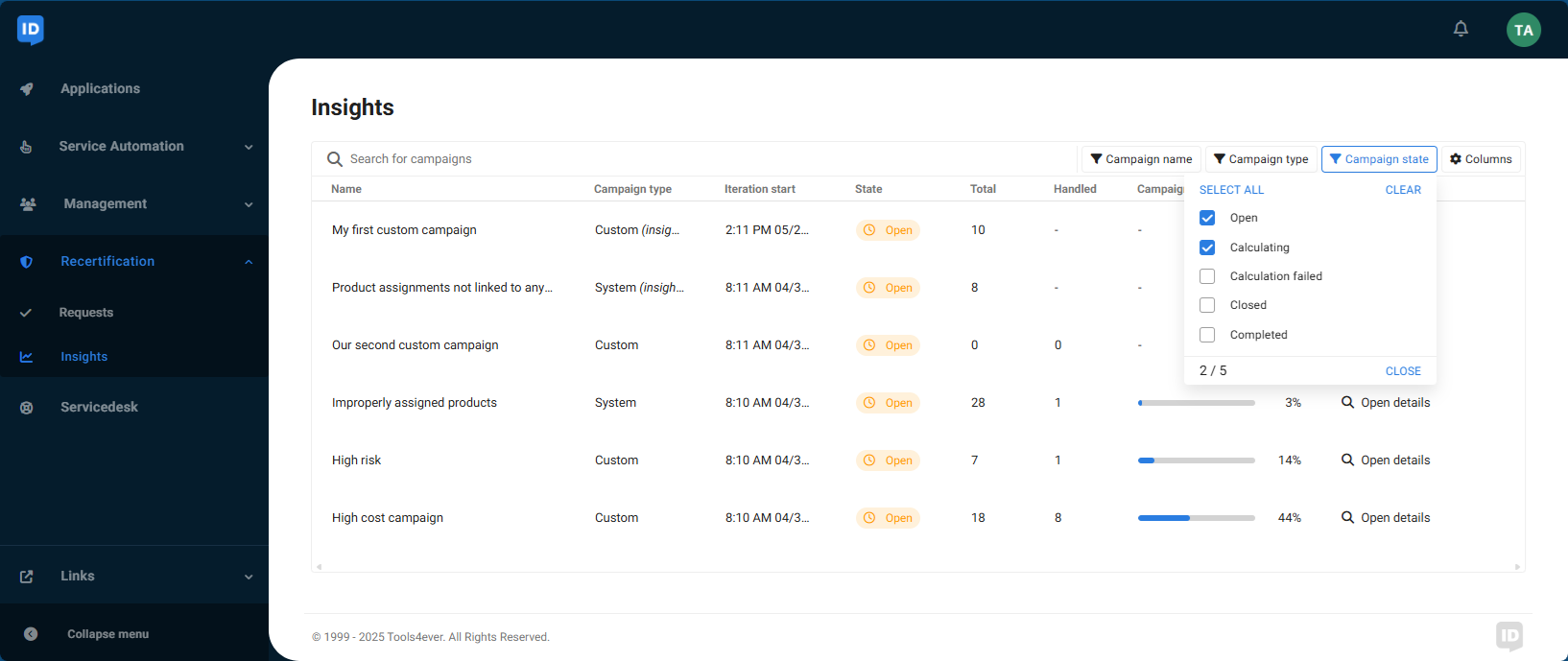
You can use filters to refine the overview based on the Campaign state, Campaign name and Campaign type.
Click Open details to View a recertification campaign's insights: a list of product requests that are in scope for recertification.
Campaign state
Campaign state | Description |
|---|---|
Open | The current campaign iteration has been calculated and the results are available. |
Calculating | A new campaign iteration has been started and the results are being calculated. |
Calculation failed | This campaign iteration failed. No results are available. |
Closed | This campaign iteration is closed because a new iteration has been started. |
Completed | The campaign iteration has completed and all recertification requests have been processed. The results are available for future use. |
Campaign type
System campaigns
There are four types of system campaigns (listed below). You can only see campaigns that your organization has actually launched.
Custom campaigns
Custom recertification campaigns review specific assigned products that are not covered by system campaigns. The product selection may be based on one or more product categories, risk factors, prices, departments, or job titles, or a combination thereof.
Depending on your organization you may see iterations of multiple custom campaigns. The name of a custom campaign depends on its configuration.